

Voyager Inventory and Sales Tracker for Small Businesses Offering Goods Services or Both
Small businesses often lose money due to overlooked details: missed refills, unrecorded services, or unmatched invoices. These gaps are common when sales, inventory, and services are managed in separate, unsynchronized systems.
Voyager addresses this reality, supporting businesses that sell goods, services, or both, such as salons selling shampoo, repair shops billing for labor and parts, or bakeries offering cakes and catering. It streamlines tracking without creating excessive paperwork.
Voyager brings products and services into one place
Product sales are straightforward: items are sold, stock decreases, and revenue is recorded. Service sales, however, require tracking details like time slots, job types, staff, notes, or deposits.
The challenge arises when sales combine both. Voyager seamlessly integrates products and services into a single sale, providing small businesses with accurate total sales data rather than fragmented information, which is crucial for sound decision-making.
A useful inventory and sales tracker should show:

What was sold
What service was performed
What stock changed
What the customer paid
What still needs follow-up
When those details sit together, owners spend less time chasing records and more time acting on them.
Minimum Viable Product (MVP): To set up an inventory tracker that monitors inventory but can also maintain the administrative side of a business, allowing for overall business growth.
Objective: To design a user-friendly interface for monitoring inventory and sales on both web and smartphone platforms.
Areas of Concern: While programs can handle many tasks, some business aspects necessitate one-on-one conversations and networking. How can we assist business owners in this area without altering the product's objectives?
Solution: Provide members with a templated website focusing on the sales or services offered, enable purchase tracking through digital wallets, notify about low stock items, and facilitate easy product additions.
My role during this project was UX/UI lead for a team of two
Simple inventory tracking prevents small mistakes from growing
Inventory issues typically begin subtly—a missed count, an unrecorded return, or a delayed delivery. These minor discrepancies gradually lead to inaccurate stock levels. To better understand the requirements, user research was conducted with 10 small business owners, starting with a survey and followed by interviews.
Here are some of the main points from the surveys that influenced discussions during user interviews. The survey consisted of 10 questions for 18 participants.
The need for diverse sales perspectives is intriguing. While sales often consolidate various aspects, the spending area introduced elements like business collaboration, including networking and event travel.
Accurate inventory tracking is crucial for understanding true job costs and service income. The homescreen should clearly reflect this, enabling users to effortlessly start a new business with a subscription.
For goods-based businesses, inventory tracking should address practical questions raised during user interviews, such as:
Question | Why it matters |
What is available right now? | Avoid selling what is not in stock. |
What is running low? | Reorder before customers are disappointed. |
What sells slowly? | Reduce waste and free up cash. |
What gets used in services? | Price labor and materials more accurately. |
Key Take Aways:
Focus on smaller areas like appointment setting or an outreach calendar. Next, integrate Voyager as a monitor with their existing website.
Purchasing Customer Point of View
Establishing customer trust is crucial for fostering loyalty, regardless of whether purchases occur in-store or online. Although it can be difficult to achieve trust through a website alone, a robust business foundation depends on relationships and community built through development, customer support, and networking, which collectively influence brand and ethical culture. To gain a deeper understanding, surveys were distributed to assess customer support experiences.
10 participants completed the survey, responding to ten questions about customer support.
Highlights from the survey:
Quick response time
Simple refund process
Efficient problem resolution with support

The concept of templated websites was developed for new members, directly connecting sales to their inventory and simplifying the availability of services and products. These templates were set up through an initial sign-up survey, allowing business owners to efficiently add inventory or schedule appointments.
Key Take Aways
Improving clarity in communication between customers and businesses demonstrates professionalism and reassures customers of the business's legitimacy.
Research Synthesis
Following the completion of user surveys and interviews, the subsequent step involved clearly defining the needs of the company and its target users.
A user journey map, personas, affinity maps, and user flows were employed as a guide for developing the Voyager dashboard and its features.
Survey and Interview Themes Recap:

There should always be support for the user.
Help shouldn't be too far away if the customer is in need.
There should be a process of elimination before support is contacted (self-help instructions, then speak to a representative).
Clear communication from the dashboard to the business owner and notifications to the customer should be clear and easy to find.
We should have a clear understanding of gaps and have chat-based help before phone calls if possible.
Potential challenges include:
delayed updates,
confusing or multiple responses,
slow fixes due to cascading issues,
and competitor actions.
User Journey Map
The survey topics allowed me to delve deeper into understanding what a user would expect when looking for support from an administrative standpoint.

I had my team develop personas, and I'll share a few here for research clarity.
Clayton highlights the business and administrative aspects, while Jordan focuses on the customer perspective.
Affinity Map
(for feature layout on website and app)

Web Key Navigation:
Sales and Analytics
Inventory
Document and Receipt Library
Calendar
Sales and Refund Overview

App Key Navigation:
Make a sale
Scan document
Inventory (adding or deletion)
Calendar (for appointment making)
This app aids the website's business operations, but the website continues to be the main facilitator. Any discrepancies are marked in red.
User flows
Scenarios that directed the flows:

User updating inventory.
Checking inventory online.
Sending an invoice/payment after a service or item purchase.
Adding an event to the calendar.
Adding a document to the document library.
How to delete a document.
How to add seasonal sales.
Sketching
We began by hand-sketching mockups, then refined them in Figma, developing various fidelity levels for the website and application.
I started with the logged-in home page, establishing basic features and navigation based on our pre-existing affinity maps.
Low Fideltlity Wireframes
Started out with the introduction of the site before the sign-up landing page, membership subscription page, and sign-in page.
Business Set Up Survey
General questions asked to set up optional use of a templated website or to upload their own for monitoring.
Main Sign up Overview
What is being offered ,
Adding API key for site monitoring for accurate inventory andsales calculation,
services offered set up,
item input
Templated Website Creation:
Previews for users to use or ignore display, containing items for sale, services available, or both.
Core pages after survey:
Main dashboard, Sales page, Document library, Appointment calendar
Voyager aims to connect sales to products, services, and inventory. A tracker is only useful if its sales entry process is simple enough for consistent use, even on busy days.
A transparent sales record should distinguish the key elements without demanding excessive information:
Customer or ticket name, when needed
Product items or service names
Quantities
Discounts or adjustments
Payment status
Notes for pickup, delivery, or follow-up
The trail helps verify custom order payments, identify services attracting repeat customers, and detect products that sell well only when paired with a service.
High Fidelity Wireframes
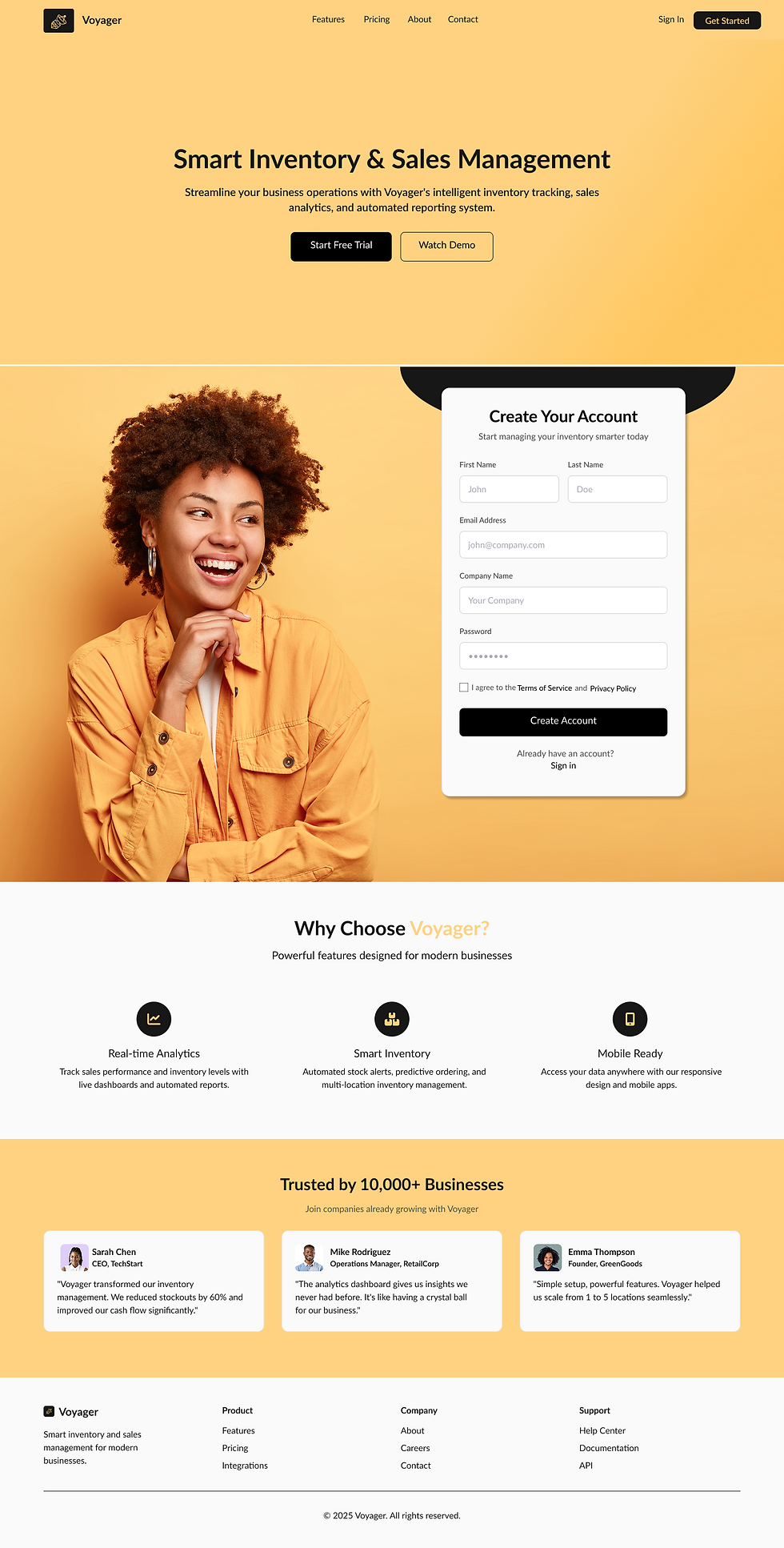
Areas shown: landing page, member sign-in page, prices, member payment page
The takeaway for small businesses
Voyager is valuable because it reflects the reality of small businesses, where sales often involve a mix of products, services, labor, appointments, supplies, deposits, and follow-up work. A strong tracker connects these details, prevents stock surprises, records service income clearly, and provides a clear daily overview. For any small business selling goods, services, or both, the right system should be a reliable record of existing work, not extra admin. Voyager simplifies sales clarity, maintains honest inventory, and eases future business decisions.
Next Steps:
Develop a project timeline, accounting for potential setbacks.
Schedule launch date
Developer hand-off
Track user engagement
Future update plan


Comments